Create a new item in Monday.com from a parsed email
Customer relationships play an important role in any industry. You need to go through all emails, extract relevant customer information, and input them manually into Monday to create tasks for your teams. Your team has to get back to those potential prospects as soon as possible.
Let's take the case where you are a real estate agent who receives hundreds of emails daily from potential clients. Having countless lead information on a daily basis is amazing! However, those emails come in various layouts and from different platforms such as Zillow, Trulia or Realtor. This manual process takes time, especially if you are getting hundreds of queries and leads on a daily basis!
Integrating an email parsing tool like Parseur with Monday.com will automate this process and create tasks for you automatically and in real-time.
Try out our powerful document processing tool for free.
Create your mailbox. In this example we will choose "Real estate leads" for the mailbox type, but feel free to choose the best mailbox relevant to the types of emails you want to extract data from.
Select mailbox type
Step 2: Forward the lead email to your mailbox
Once your mailbox is created, you will receive an email address. Forward your email to it.
You can also set up an auto-forwarding rule so that all your emails are sent automatically to your Parseur mailbox.
Email received in Parseur mailbox
Step 3: Trust our AI parser
Parseur supports automatic data extraction from most real estate platforms with AI but you can also highlight the data that you want to extract and create data fields for them
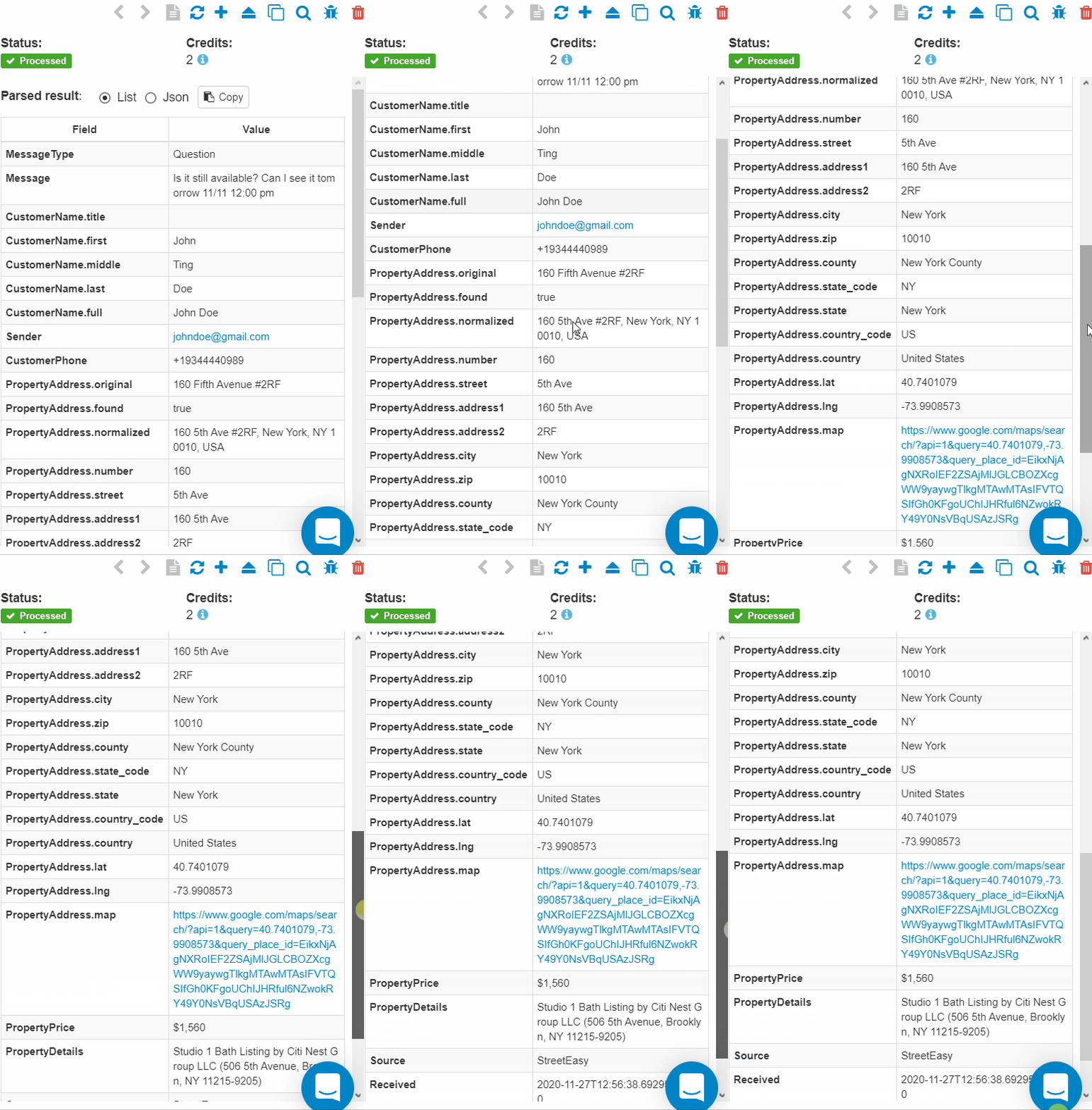
Your parsed results will look like this:
Data extracted from your email
Step 4: Configure Zapier to send extracted data to Monday
Go to "Download / Export", click on "Zapier" and search for Monday.com. If it is not listed there, click on "create Zap" as shown below.
Click on create Zap
You will be redirected to your Zapier account where you will have to log in with your credentials.
Connect Monday with Parseur
You will asked to sign in to your Parseur account and choose the mailbox so that Zapier can retrieve the parsed email data.
Choose Parseur mailboxConnect Monday with Zapier
You will then be asked to log into your Monday.com account. Once your account is connected, use the extracted data from Parseur to fill in the data fields.
Map in the data fields
Step 5: Test that a new item is automatically created in Monday for every new email
You can send a test trigger to see if the integration is successful.
Test the integrationLeads appear in Monday.com
Turn the Zap on and your integration is complete!
The data has been sent in real-time to Monday.com. From now on, every email that you send to your Parseur mailbox will be automatically processed and exported to Monday.com as a new item.
Manage successful projects on Monday.com with data extraction tools like Parseur. With the integration of Zapier, you can:
Create a new board
Update your items in the board
Create a new user
What is Parseur?
Parseur is a powerful document processing software to extract text from emails, PDFs and documents and automate your workflow.
All Parseur features.
What is Monday.com?
Manage your tasks more efficiently, run business processes and workflows with Monday.com. This project management tool serves 100 000 companies as of 2020. If you manage a team or work in a team, then Monday.com is perfect for you.
What is Zapier?
Zapier is a cloud automation tool that connects apps together. You can connect two or more apps to automate repetitive tasks without coding or relying on developers to build the integration.
AI-based data extraction software. Start using Parseur today.
Automate text extraction from emails, PDFs, and spreadsheets. Save hundreds of hours of manual work. Embrace work automation with AI.